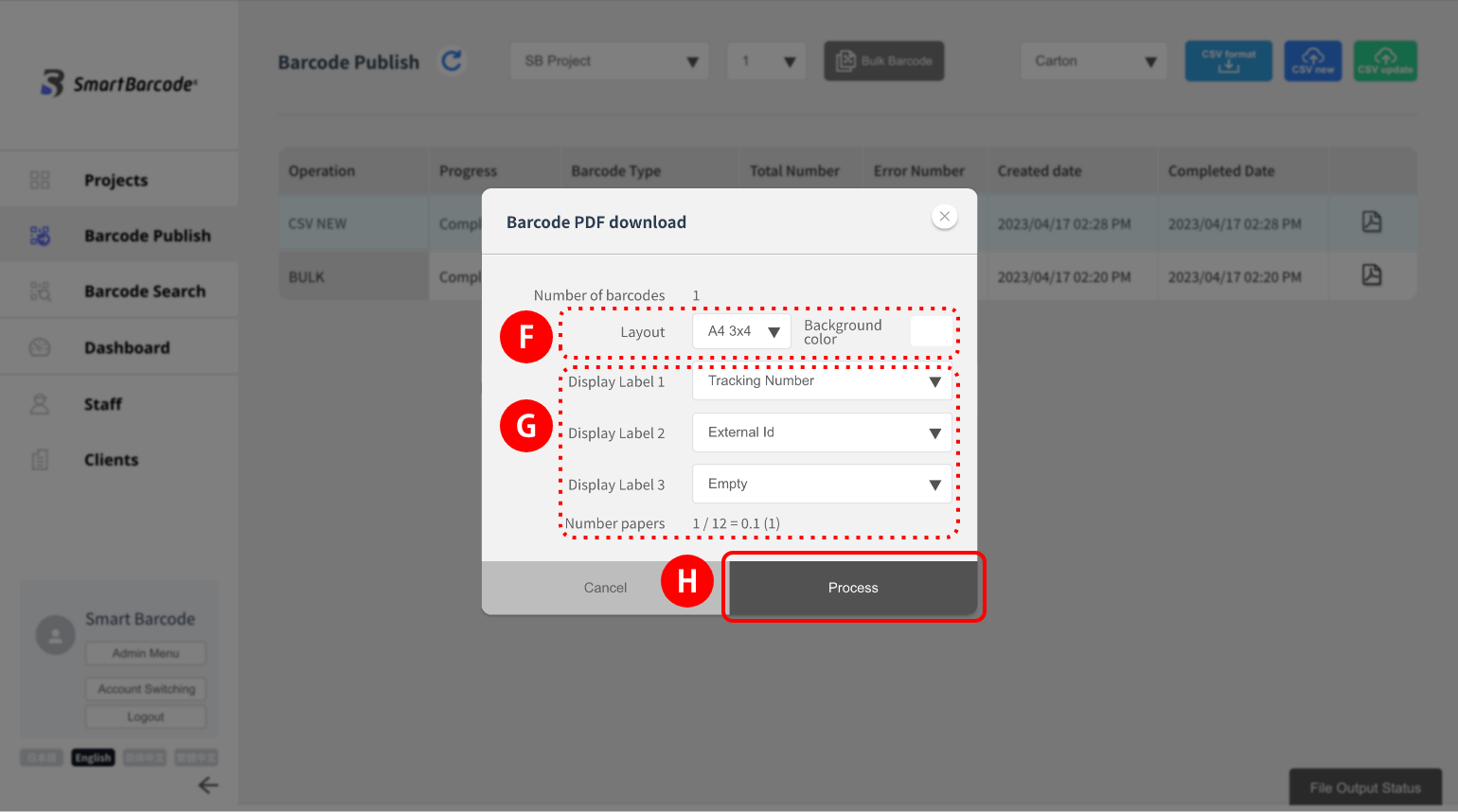
(1) Select the relevant project.
(2) Click the Bulk Barcode button.
(2) Click the Bulk Barcode button.
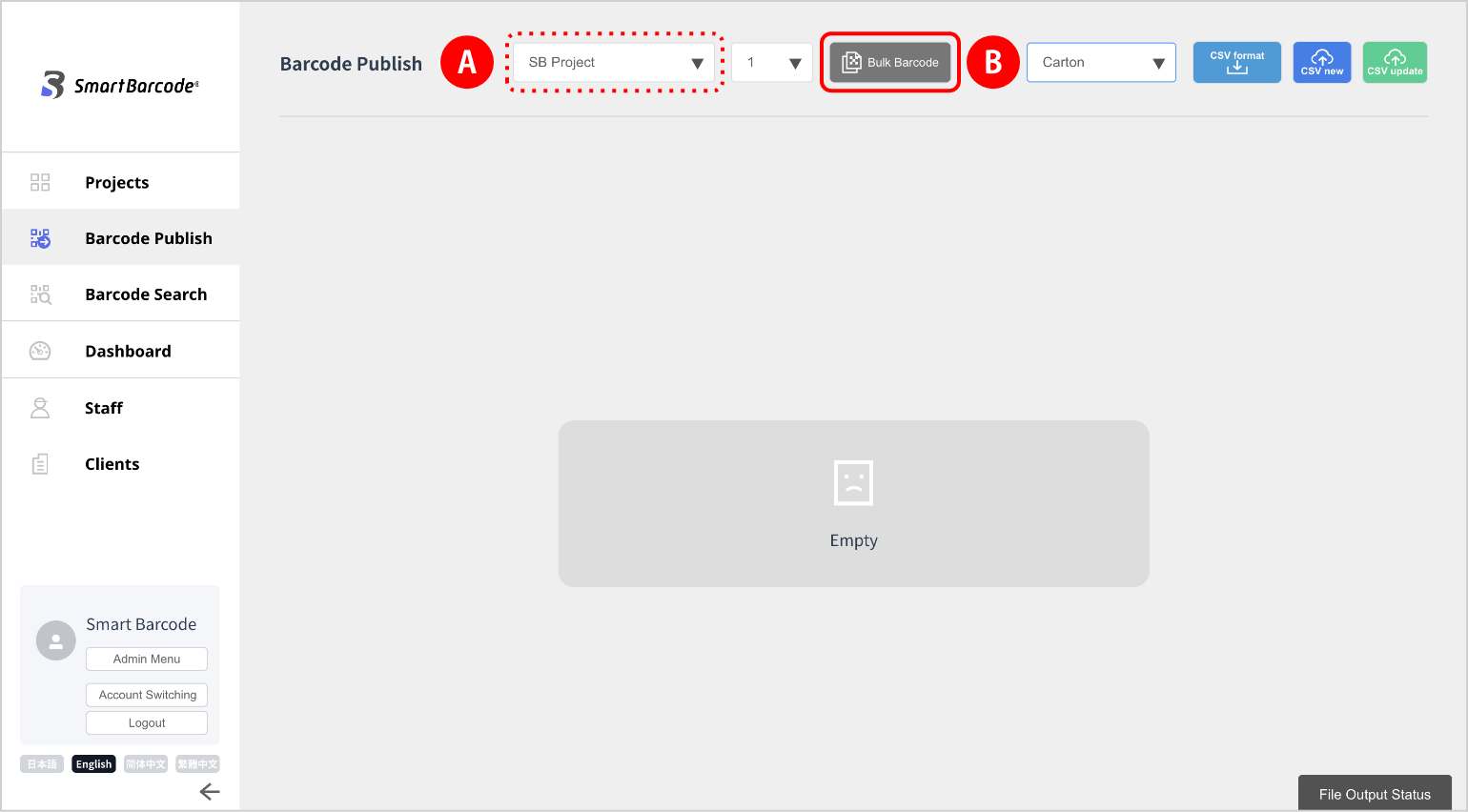
(3) Enter the number of outputs.
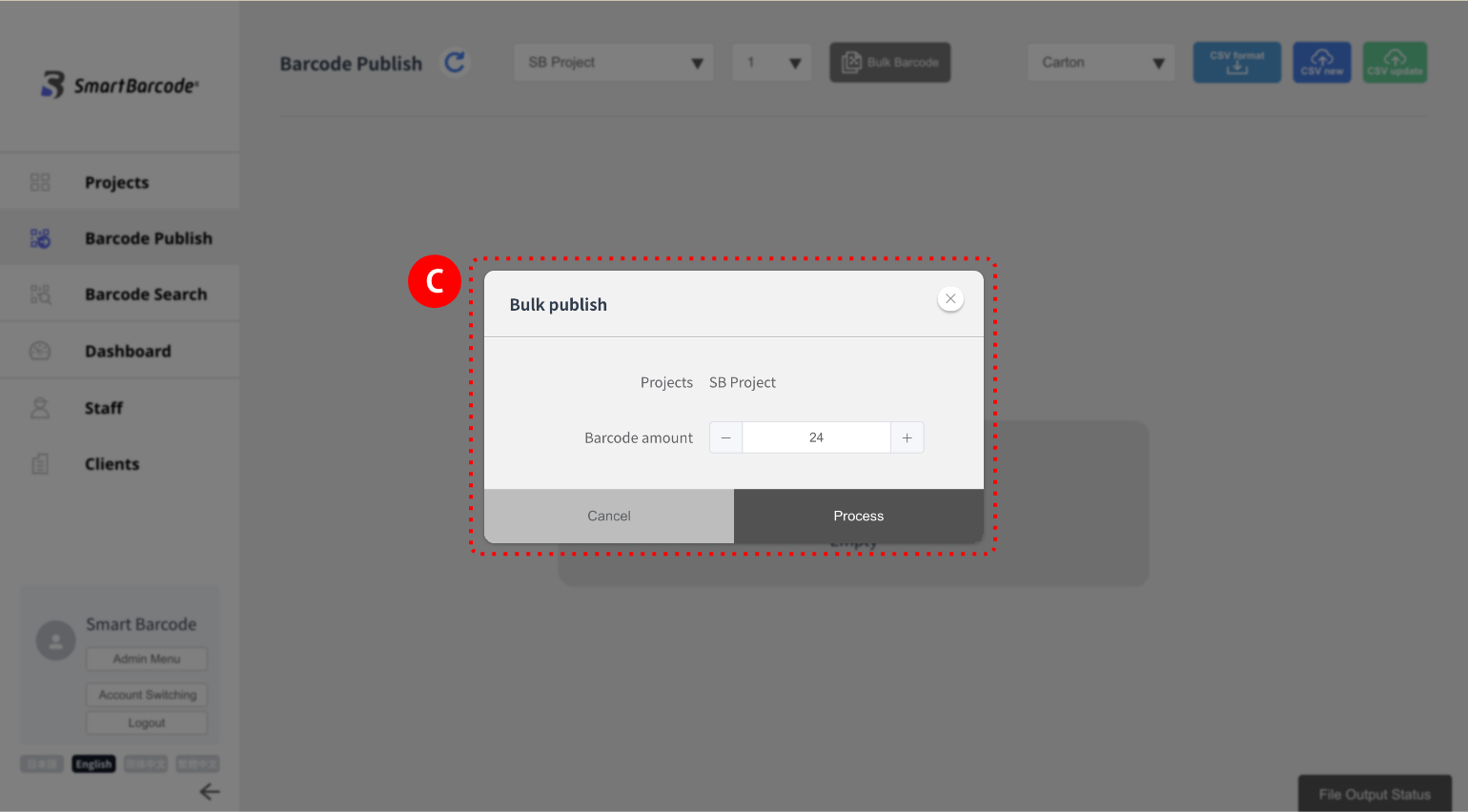
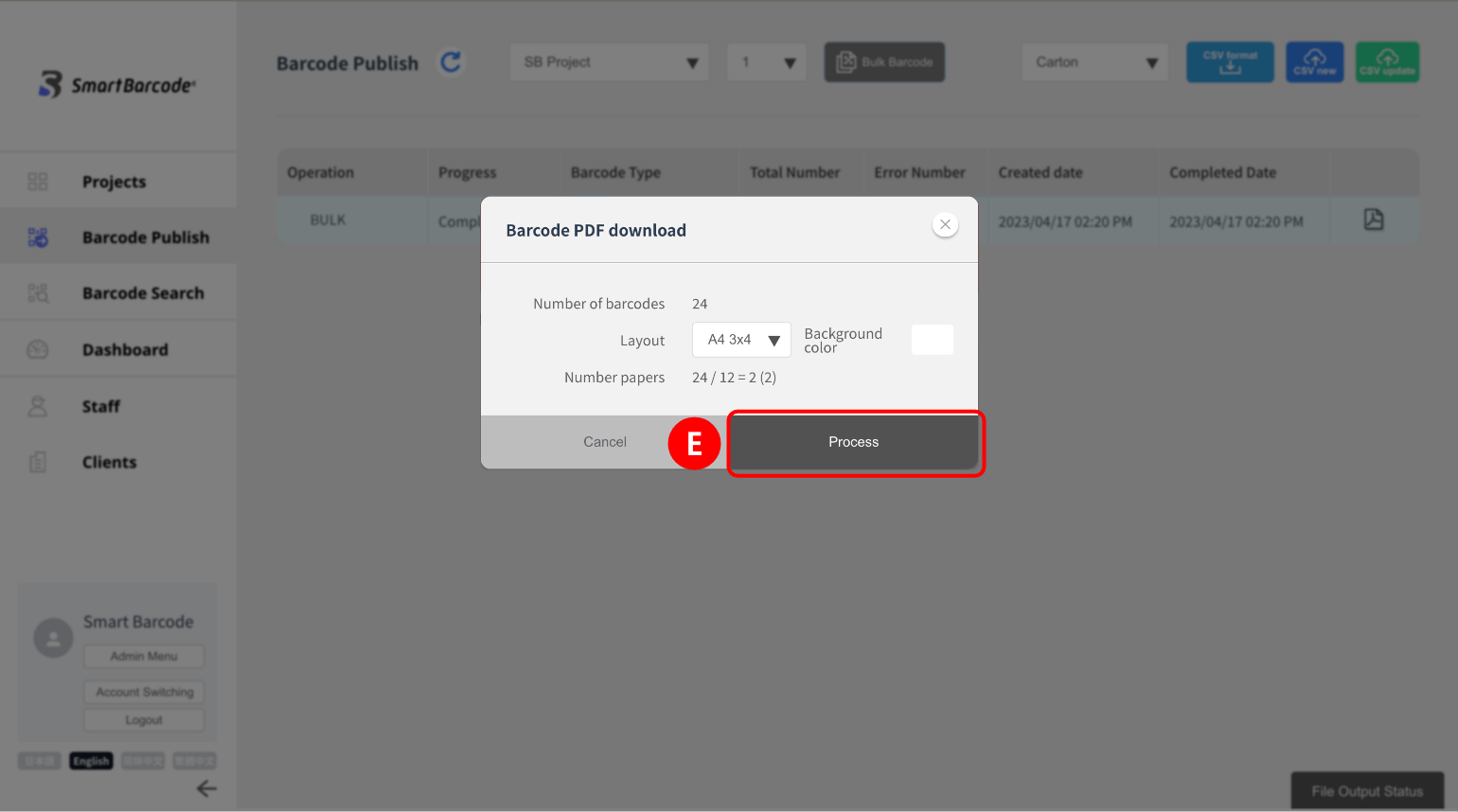
(4) Click the PDF icon.
(5) Select the layout* and background color, and click Process to download it.
(5) Select the layout* and background color, and click Process
to download it. 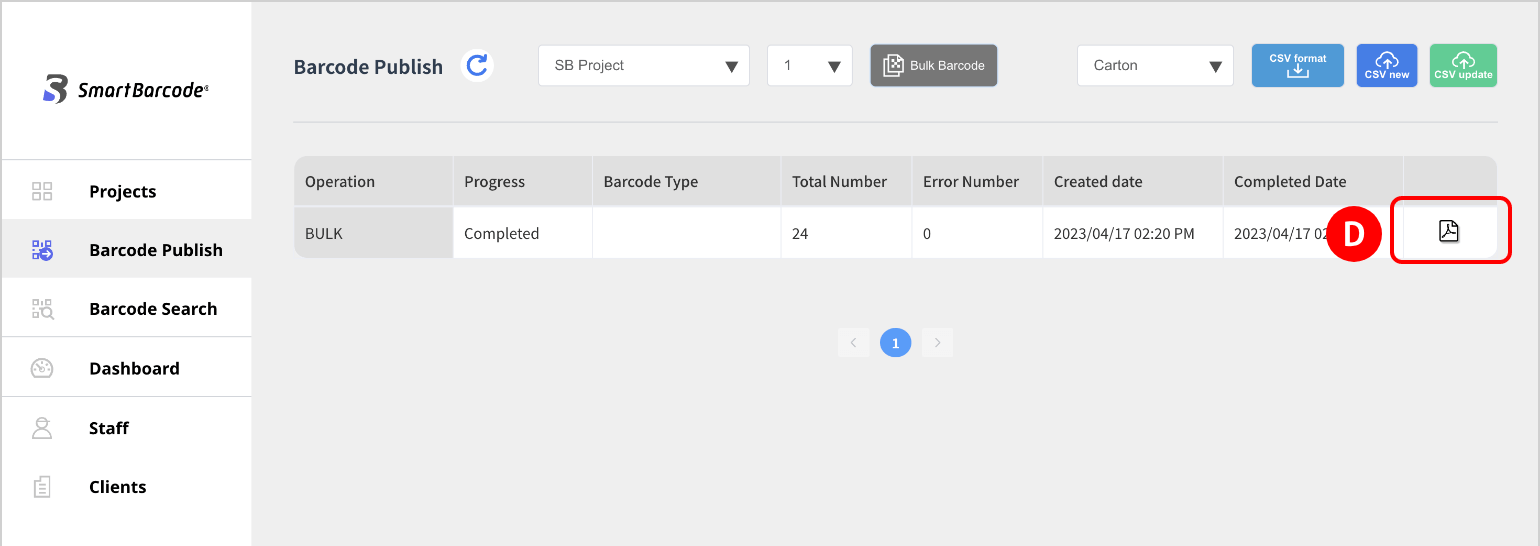
(1) Select the relevant project.
(2) Select the relevant trace target,
download CSV format.
(2) Select the relevant trace target,
download CSV format. 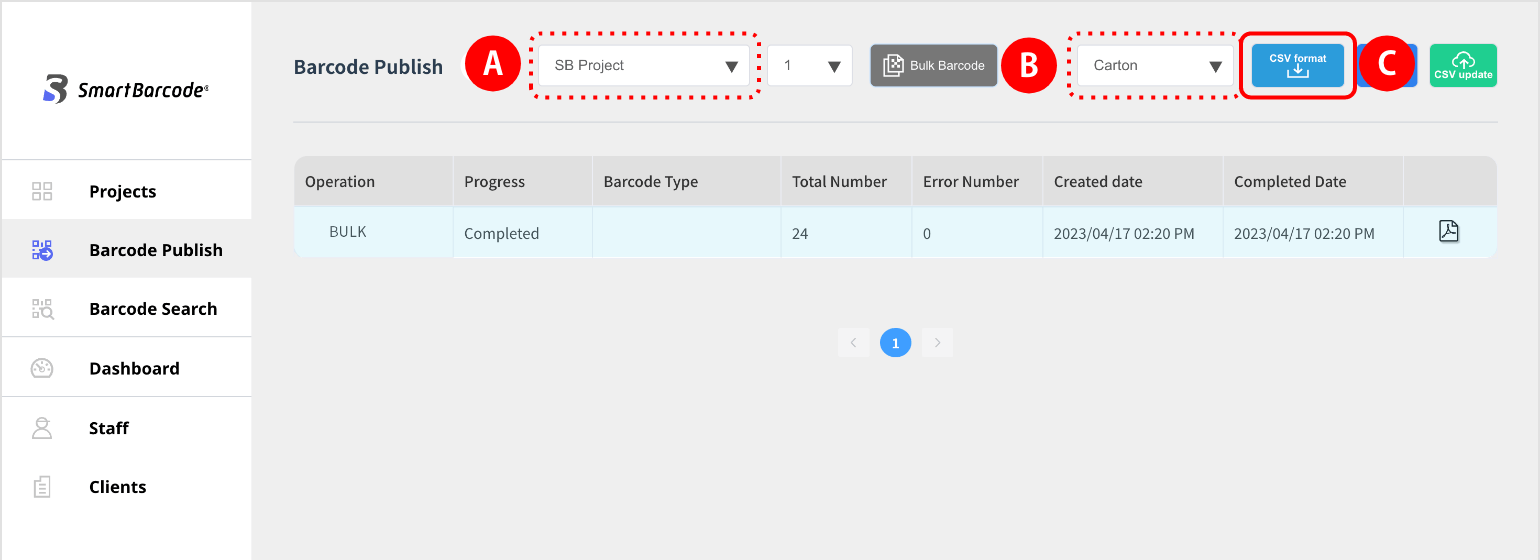
(3) Enter the necessary information in the downloaded CSV format, upload the file (CSV new).
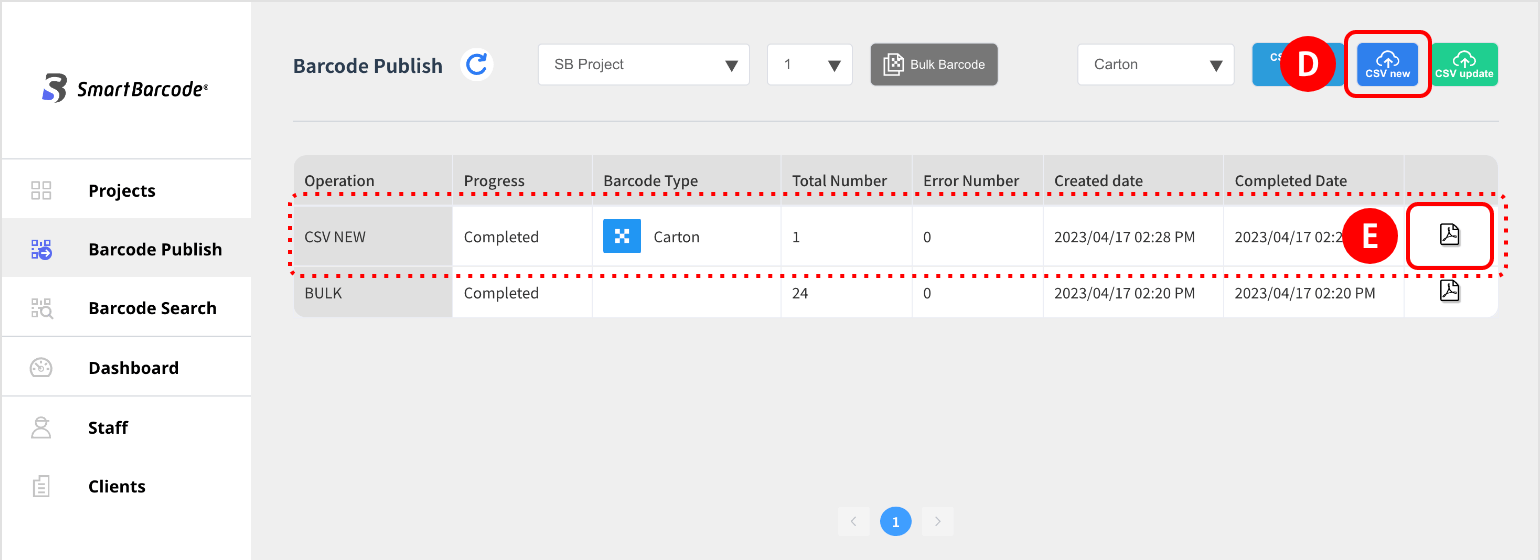
(4) Then click the PDF icon.
(5) When the setting screen is displayed, select the layout* and background color.
A label is an information name printed at the bottom of a barcode.
(6) Click Process to download.