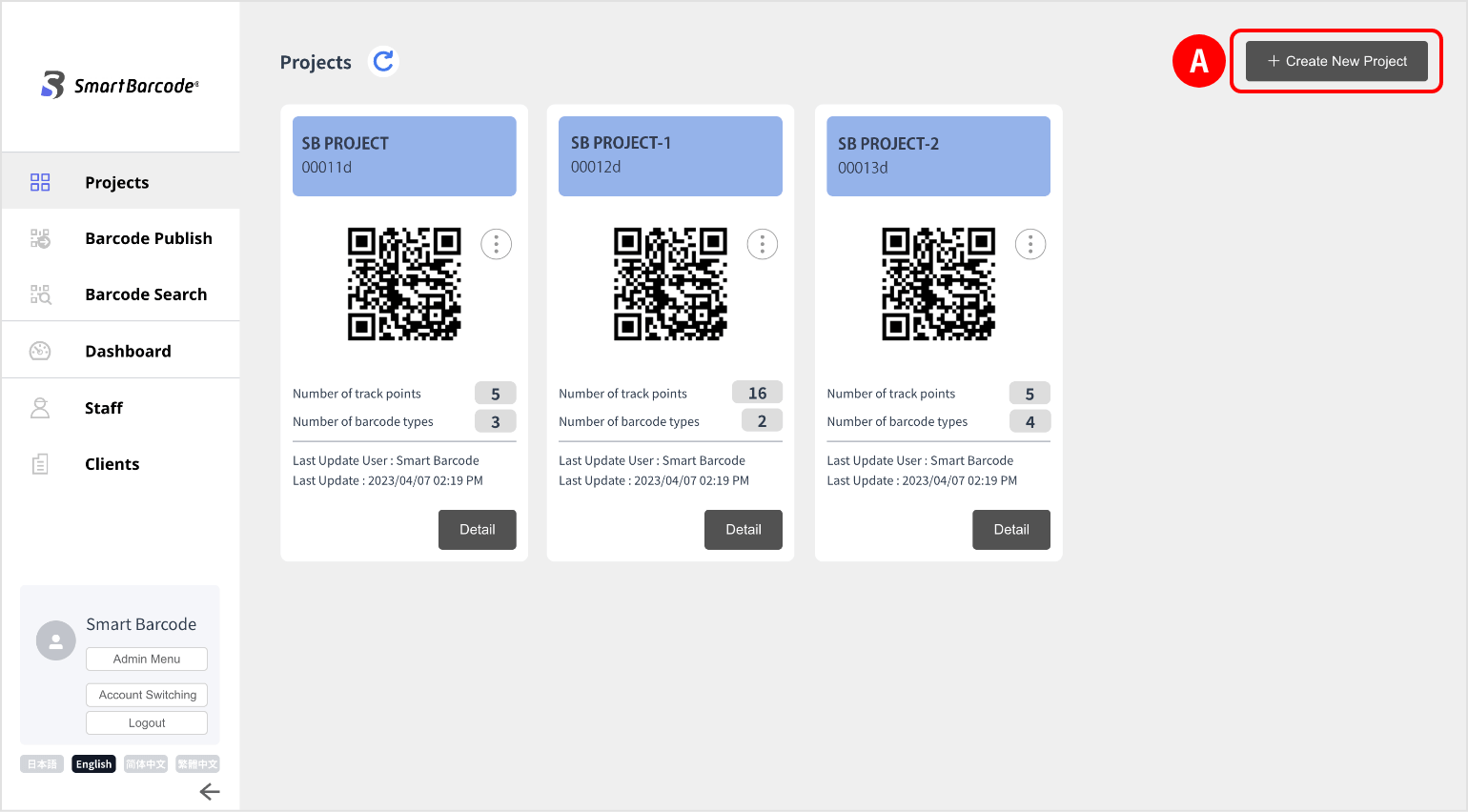
(1) Click “Projects” in the side menu.
Start setting from “+ Create New Project” at the top right of the screen.
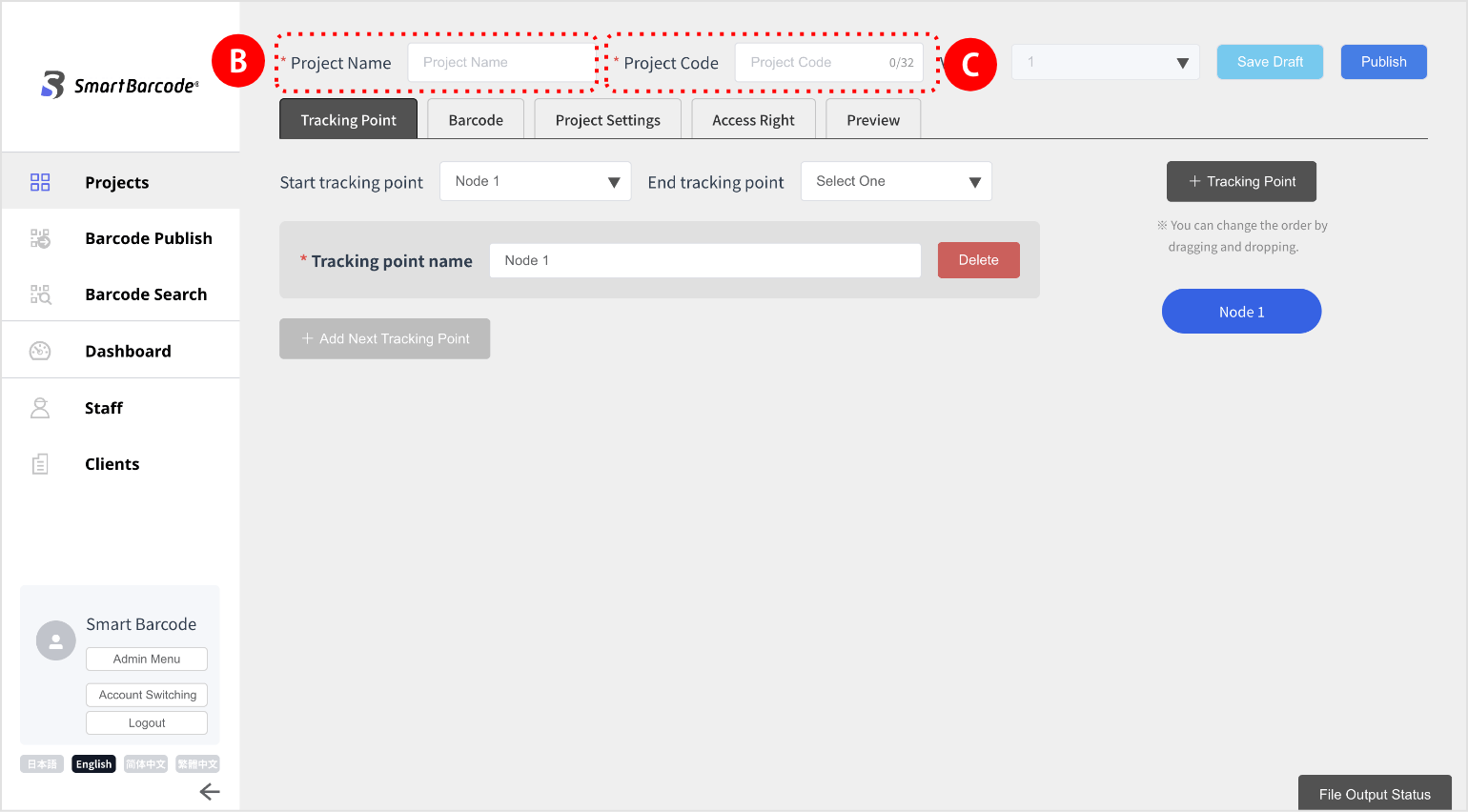
(2) enter “Project Name” (optional name). *It will appear in the app.
(3) In “Project Code”,  enter the management code (optional code) of the project.
*Alphanumeric characters only, no spaces are allowed.
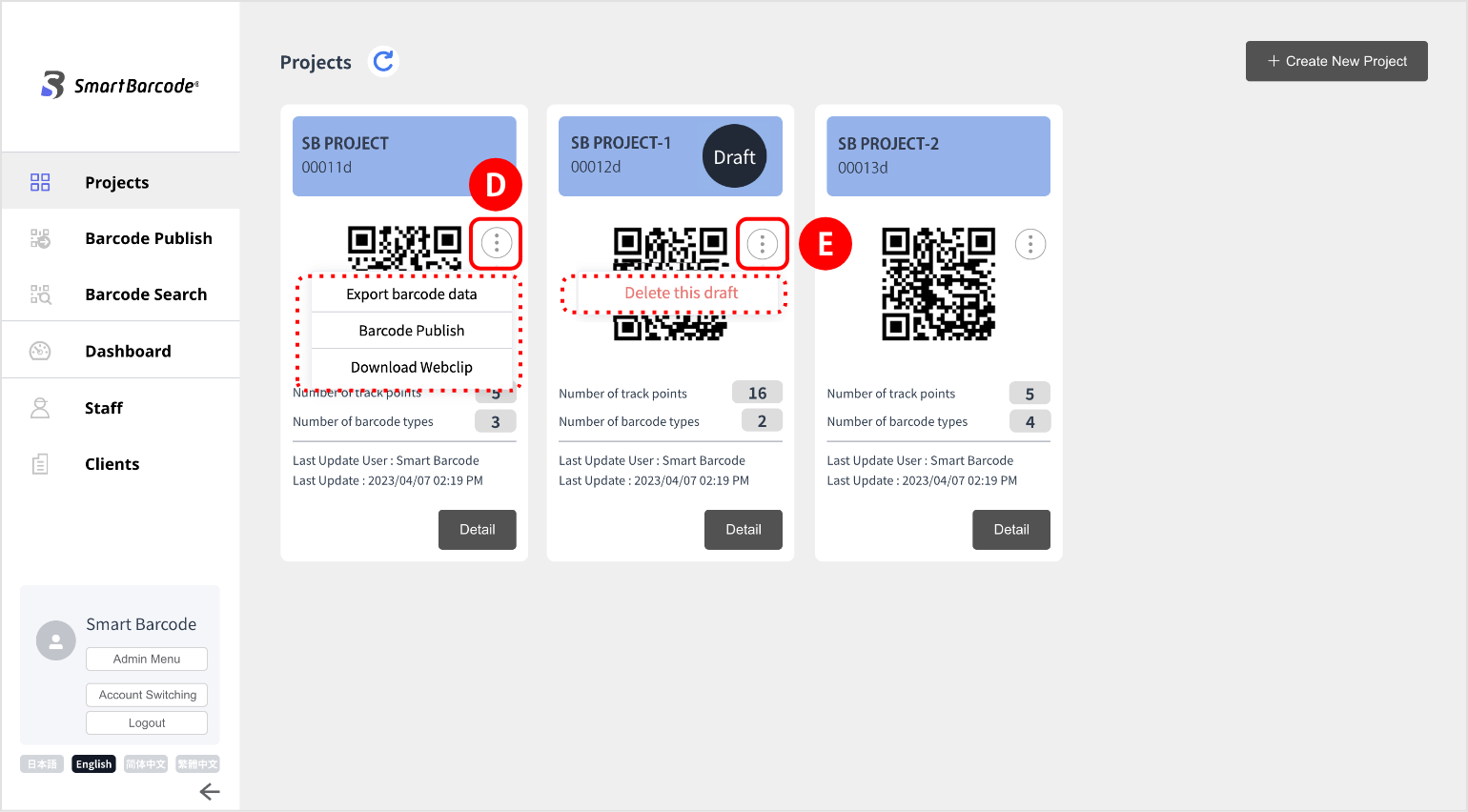
(4) The “Menu Icon”  for regular projects allows the following options when hovered over:
In the case of a draft , the message “Delete this draft” will be displayed.
When clicked, the draft is deleted, and the project reverts to the previous version.
(Note: The project itself is not deleted.)
for regular projects allows the following options when hovered over:In the case of a draft
, the message “Delete this draft” will be displayed.When clicked, the draft is deleted, and the project reverts to the previous version.
(Note: The project itself is not deleted.)