
How To Operate
Access Right
Here, you create groups of access permissions for writing (recording) and viewing traces (viewing) at each tracking point. You can create authorizations for each staff member at the same time.
Setting New Access Authority
(1) Click “+ New Permission Group”
and enter a name for the group.
(2) Set permissions (Record/View) for each tracking point using the checkboxes.
and enter a name for the group.(2) Set permissions (Record/View) for each tracking point using the checkboxes.
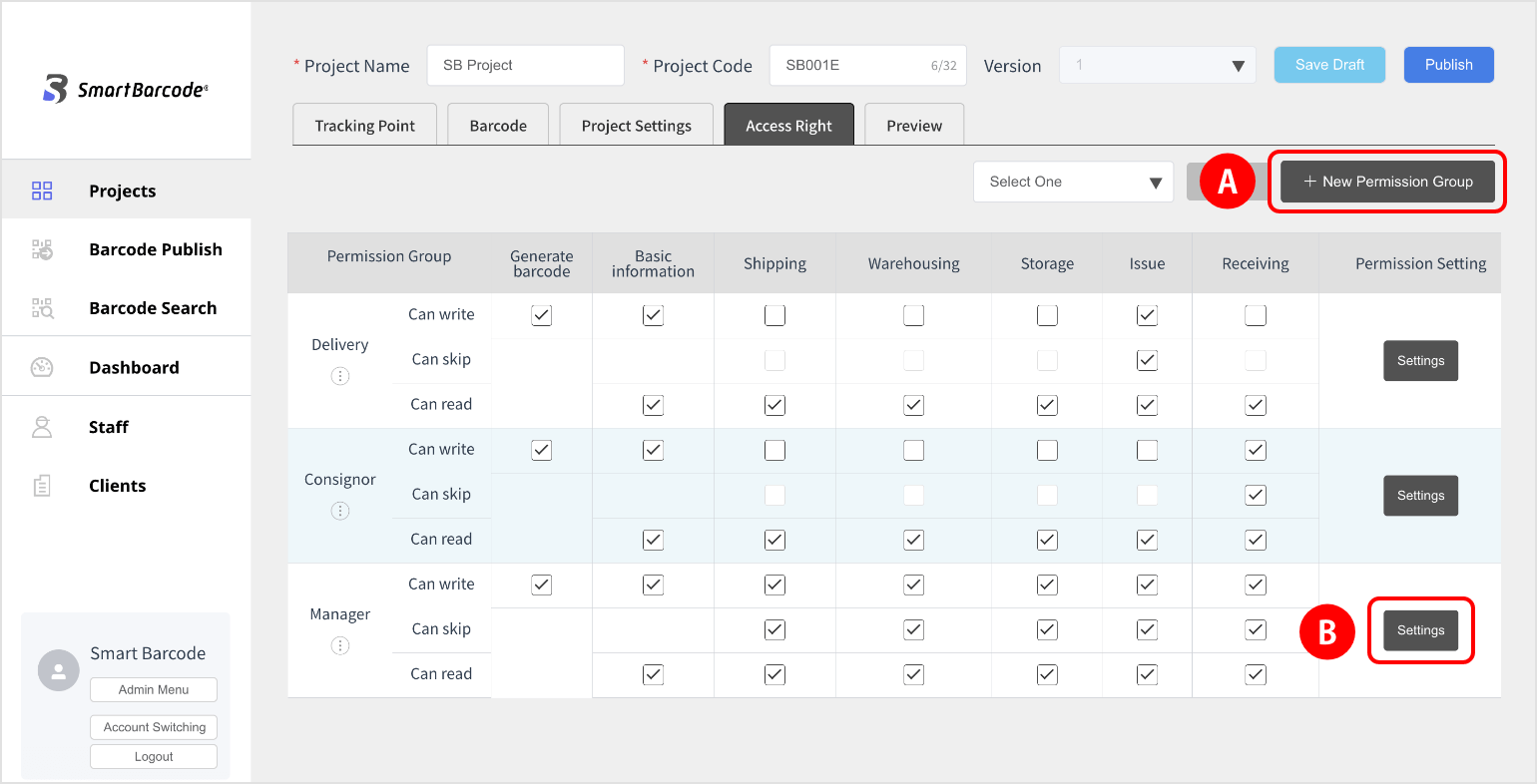
(3) click the “Settings” button
to display the group name*,
so select the relevant staff member and save it.
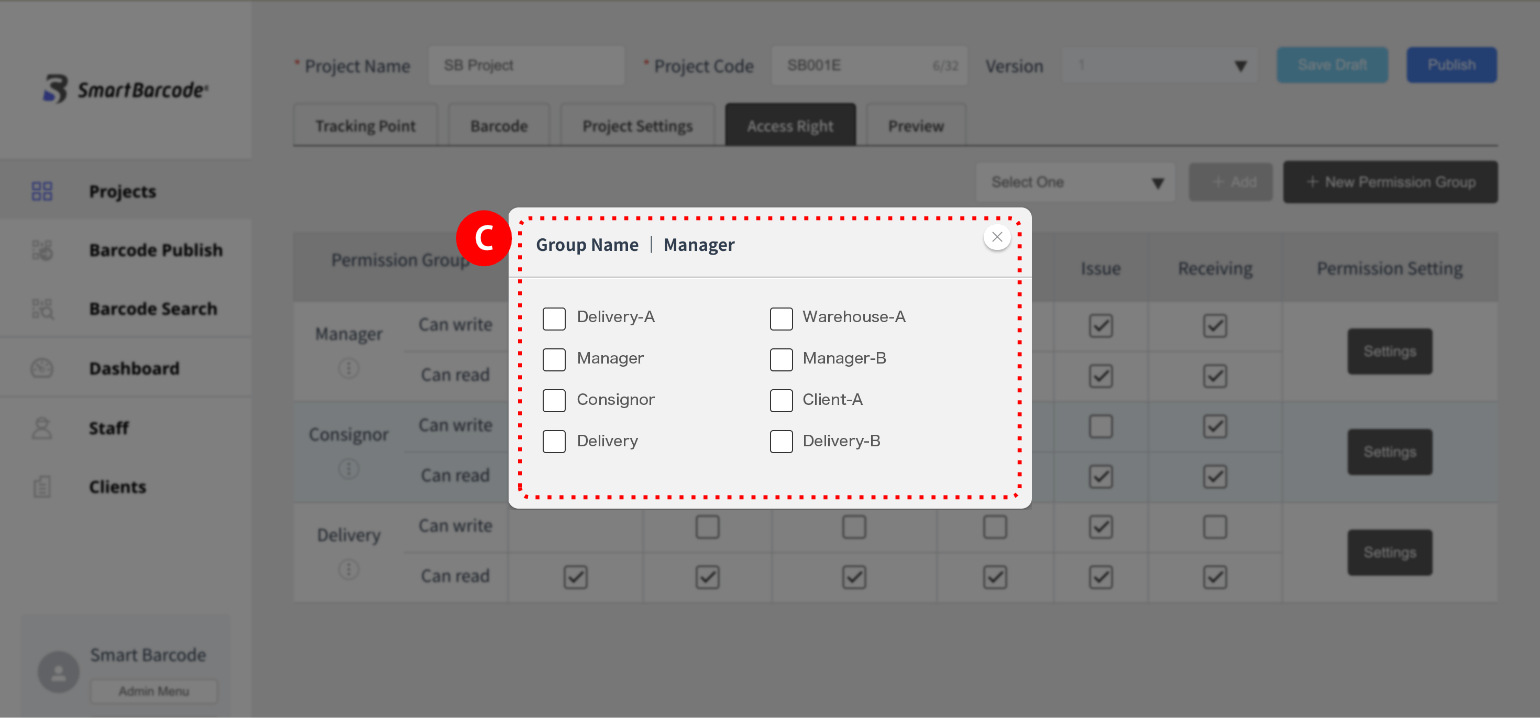
* The staff name is registered from the sidebar “Staff” on the management screen. Please see the “Staff registration” page for details.
Hints
Staff access rights can be obtained from “permission group settings” and “staff registration”.
If you have a large number of staff, we recommend that you create an “authority group” and set permissions while searching for each staff member from the staff registration screen.